
Models and keys
Connect a provider with your own key or subscription, enable models, and pick a default.
Atoi runs on your own provider access. Connect a provider, enable the models you want, and set the one your thread runs on. Any thread can switch to another enabled model without changing who you are talking to.
#Connect a provider
Open Settings → Models and choose a provider. Some connect with an API key. Some connect with the subscription you already have, through a sign-in flow. Both land on the same provider page.
A subscription that reaches the same models at a different address is its own row rather than a second lane on the key's. Z.AI takes a key that meters; Z.AI Coding Plan takes a Coding Plan key, reaches GLM at the plan's own endpoint, and costs nothing per turn because the plan has already paid for it.
Keys are secret input. Atoi masks them after you save and never shows the full value again. Saved provider access is managed from Provider options on the provider's page.
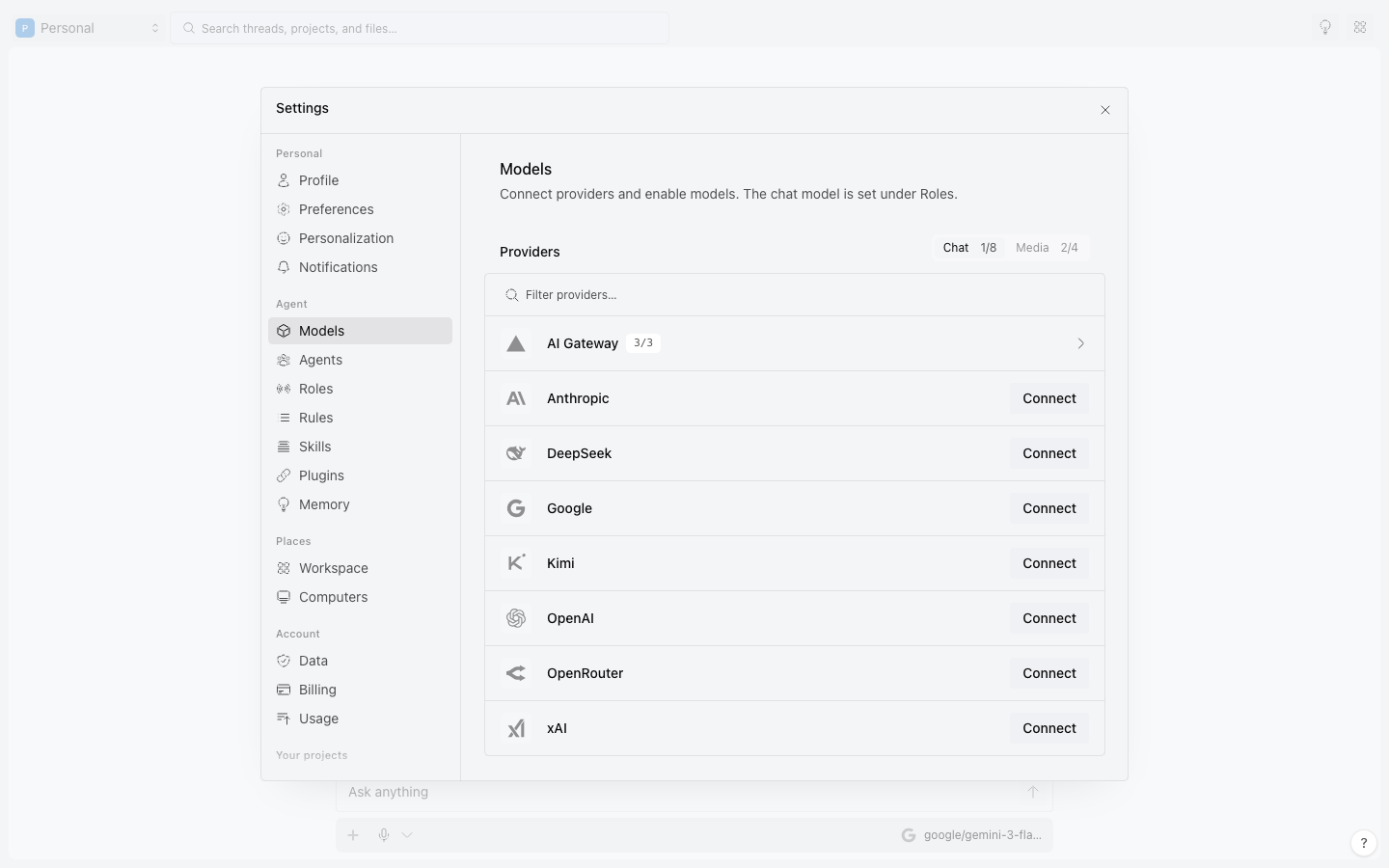
#Three states, three meanings
- Key saved: the provider is connected.
- Model enabled: it shows up in the picker.
- Request succeeded: a real call worked for this model and this account.
One does not prove the next. Balance, region, and retired models can still fail a request.
#Pick a model and a reasoning strength
The model picker in a thread lists your enabled models. Reasoning strength appears only for models that support it. Changing either affects the next request, not the thread.
On a provider's page, an enabled model carries Set default, and the one that runs your threads wears Default. That one model is the thread's, and a task started from it runs on the same one.
Read the failure notice and fix the cause. Retryable failures can offer Resume, or Retry if the response never started. The action is available only on the latest message, outside a shared view, when Atoi has enough information to retry. Wait until any stated retry time has passed.
#Keep keys private
Never paste a key into a thread, a document, a screenshot, or a support report, and never ask Atoi to fetch one for you.
#The layers
A provider is the door. A model is what answers. Neither one changes who you are talking to.
| Layer | The question it answers |
|---|---|
| Provider | Can this account request models through this door? |
| Enabled model | Should it appear in the picker? |
| Selected model | Which one handles this request? |
| Reasoning strength | How hard should it think, when the model offers a choice? |
| Capability | Can it take this input and produce this output? |
#Curate
Pick one reliable default, one stronger option for hard problems, and specialty models only for recurring jobs. A long enabled list makes picking harder and keeps retired IDs around.
#Qualified names
Atoi can name a model as provider/model so the same upstream model through OpenRouter, the gateway, or a direct provider stays distinct. Routing and billing differ by door.
#Verify what changes
Catalogs, prices, context limits, and regional access change. Read them from the live provider page in Atoi, not from a model's family name.
Read Providers for the supported provider ids and Model capabilities for what to verify before you rely on a model.
Was this useful?